User’s guide
Before starting using your SCENAR you need to remove the protective film from the device’s electrode.
Now open the battery compartment lid and insert the battery making sure the polarity is correct. You will hear the sound. After 2 seconds the operation system will load and your device will enter the default state. On the screen you will see the following symbols. A, which is the treatment energy, and by default it is set to one. Dosing mode D and the presets are switched off, which is indicated by zeros. The default frequency is 60 Hz. The same things will appear when you reset the device settings or change the battery.

If at some point you got confused with the modes you can reset your device by pressing and holding the arrow and square button for approximately 2 seconds until you hear the intermittent sound. You can do that even when your device is switched off.
If your device does not have any contact with skin for 60 seconds it is automatically switched off.
So how do you switch your device on? To switch it on or off you need to press and hold the square button for approximately 2 seconds until you hear the intermittent sound signal. Please keep in mind, all settings will remain the same as you left them before you switched the device off, except the treatment energy, which will be again set to 1.
If you want to switch the device on and keep the value of treatment energy that was set during the previous session, press and hold the combination of square and plus buttons.
If the battery is low, SCENAR will let you know. The device will make short beeps every 2 seconds. In this case just replace the battery.
Now let’s talk about the symbols on the screen.

Treatment energy (Amplitude) symbol
Treatment energy (Amplitude) value
Timer
Mode symbol
Mode indication
Skin contact indication
- In the upper left corner we got the treatment energy symbol (“A” or Amplitude) and its value in units from 1 to 250;
- In the upper right corner we got the timer which uses the minutes/seconds format;
- In the bottom left corner you can see the symbol of the last mode or setting and its indication;
- And in the bottom right corner you can find the symbol which indicates the skin contact.
The first setting, as you already know, is the Treatment energy, which can be set from 1 to 250. You can set the treatment energy both by single pressings of the plus and minus buttons, that is, by one unit, and by pressing and holding the button to adjust it faster. When you reach the maximum or minimum limit you will hear the long beep.
Attention! In order to avoid discomfort or pain, please set the treatment energy to minimum before starting the treatment session or before switching to the treatment of sensitive skin areas.
Your home device features four fixed frequencies or, to be particular, pulse repetition rates. These are 14, 60, 90, and 340 Hz. To set the desired frequency you need to press the arrow button several times until the F symbol appears on the screen. Now you need to press plus or minus button to select the desired frequency. The frequencies are shown on the screen and their selection is accompanied by short sound signals:
- 14 Hz there is one beep
- 60 Hz there are two beeps
- 90 Hz there are three beeps
- And for 340 Hz there are – surprise! – four beeps
How to select the treatment mode
Your device has an individually dosed mode, where the treatment time is determined automatically.
If you want to switch on the dosing mode, press the arrow button until you see the letter D on your screen. Now, to switch the mode on, press plus. To switch it off press minus. You will hear the two-tone signal and your screen will say D : 1, which means that the dosing mode D1 is now on. When it is switched off the screen will say D : 0.
D1 dosing mode can be combined with any frequency, the Frequency Modulation mode, and the Amplitude Modulation mode.
In D1 mode you need to treat by doing single device applications, putting it on and off the skin. As you place the electrode on the skin, you can hear the single beeps and see the “I” or bar symbols appearing on the screen one by one or several at a time depending on the speed of the dose. The rate of appearance of bars and the number of intermediate sound signals may differ in different areas of the skin. When you reach the dose you will see the DOSE message appearing on the screen and hear the two-tone sound signal.
Also, your device has the labile screening mode designed to find the optimal treatment zones in big skin areas.
To switch on the labile screening press the arrow button until the letter D appears on the screen. Then press the plus button two times to switch the mode on or the minus button two times to switch it off. You will hear the ascending or descending two-tone sound and see the indication on the screen. D : 2 means that the mode is on, and D : 0 means that it is off.
We will talk more about the treatment in D2 in a separate video.
The device has the Amplitude Modulation mode (AM). In this mode treatment is intermittent: 3 seconds of treatment and 1 second of pause.
To switch it on press the arrow button until you see the AM symbol on the screen and then press the plus button to switch the mode on or the minus button to switch the mode off. You will hear the ascending of descending two-tone sound signal. When the AM is on you will see the AM : 1, when it is off, you, respectively, will see AM : 0.
Amplitude modulation mode can be combined with any frequency, Frequency Modulation mode, and dosed mode D1.
Another mode that is featured in your device is the Frequency Modulation or FM. In this mode the stimuli repetition rate is gradually changing between 30 and 120 Hz.
To switch the Frequency Modulation on press the arrow button several times until you see the FM symbol, and then press plus to activate and minus to deactivate the mode. Again, you will see either FM : 1, which means that the mode is on and FM : 0 when the mode is off. Also you will hear the ascending or descending two-tone sound.
You can combine the FM mode with the Amplitude modulation and Dosed mode D1.
Sometimes you may need to activate several modes at the same time. In this case just switch them on one by one in any order. However, please note that you cannot simultaneously switch on the mutually exclusive modes such as, for example, F and FM.
Factory presets
In addition to the manual modes SCENAR has two pre-installed presets.
The use of these presets is determined by the new rules and protocols of systemic SCENAR therapy. Each phase of the preset is intended for influencing the particular type of nerve fibers or receptors.
Preset 1 – «ACU» (ACUTE).
This is the universal preset that can be used in any acute situation. Let’s briefly describe its phases.
1st phase is the biomode. The treatment is done with the batches of pulses. The number of pulses in a batch and the gap between the pulses are controlled automatically depending on the impedance of the interelectrode tissues. The stimuli rate is set automatically between 15 and 340 Hz according to the preset’s program. 2nd phase is the low-frequency treatment. 3rd phase is the mid-frequency treatment, and 4th phase is the high-frequency treatment.
You can control the treatment energy level in all phases of this preset.
Preset 2 – «SYS»
This preset is intended for systemic treatment. It is aimed at the interaction with the nervous system and has the effect of general regulation.
When you are in the default state, before you activate this preset you need to set the comfortable level of energy.
In this mode 1st phase is the high-frequency treatment, 2nd phase is the mid-frequency treatment, and 3rd phase is the low-frequency treatment.
In each phase the treatment energy is set automatically depending on the treatment energy value you set before switching on the P2 mode.
To switch on the presets press the arrow button several times until you see the letter P on the screen. Then press the plus button to choose one of two presets. The preset selection also has sound indication.
- Preset 1 – «P1» or «ACUTE» has a single sound
- Preset 2 – «P2» or «SYSTEM» has two sounds
When the preset is switched on you can see the current phase of the preset on the screen in real time.

Selected preset
Phase number
Phase timer
The selected preset is indicated by a short name. Preset 1 – «ACU», Preset 2 – «SYS». The preset program has several phases, and each phase has certain duration. The phase timer counts down the time left to complete the current phase. When your device switches for the next phase it makes the two-tone sound. When the last phase is over your device will switch off automatically.
Because the treatment zones may differ by their size or acuteness, sometimes you need to change the duration of the preset. Please note that you can change the overall duration of the preset, not the duration of separate phases.
To set the preset duration you have to quickly press the combination of arrow and square button. Your device will enter the preset time setting mode.
Attention! Do not hold the mentioned key combination for more than 2 seconds since that will lead to the resetting of your device and losing all settings.

Selected preset
Preset time setting mode
Preset duration
The full preset duration is set in minutes and shown in the right part of the screen.
Use the plus and minus buttons to change the time settings from 1 to 29 minutes. When you reach the maximum or minimum duration of the preset your device will make a long beep.
When you change the duration of the preset the time of all phases will be recalculated. Also the preset will start over regardless of the current phase.
While any preset is active, pressing the arrow button will switch you between the P menu and the preset time selection mode. Selection of any other mode by pressing the arrow button is impossible while the preset is active. If you want to change any other manual settings, you need to deactivate the preset or reset your device.
To deactivate a preset, press the arrow button several times until you see the selected preset on the screen and then press the minus button. You will hear the long low-tone beep. The treatment energy will return to the value set before the preset activation, and all other settings will be set to their default values (that is, Frequency 60, FM, AM, D1, and D2 are switched off).
For your convenience there is a quick access to Preset 1. Just press the combination of plus and minus buttons.
ATTENTION! When you switch on a preset the treatment energy value is stored in the memory of your device. If you use the P2, the treatment energy may change automatically during the preset. When the preset P2 is switched off the treatment energy goes back to the value that was set previously. In order to avoid uncomfortable sensations or pain, please decrease the treatment energy to minimum after you switched off a preset.
Some mode pro tips for you and your SCENAR. If you want to highlight the screen, press the square button.
If you prefer quiet work and want to switch off the sounds, press the combination of the arrow and minus button.
To switch the sounds back on press the combination of the arrow and minus button.
Please keep in mind that if your device is muted you cannot hear the dose signal in D1, the sound indications in D2, and the sound indications of the device’s menu.
When you reset the device or change the battery it is unmated automatically.
Sometimes you may need to lock the keys to prevent occasional pressing. For example, if you want to perform some self-treatment of your back and lie on your device.
You can lock and unlock the keys by pressing and holding the combination of the square and minus button until you hear the ascending or descending two-tone sound signal. A pro tip: when the keys are locked the colon symbol on the screen is replaced by the x symbol.
When your device switches off automatically, the keys will be unlocked when you switch it on again.
Attention! It is strictly forbidden to use power line-supply through any adapters! It can be life threatening!


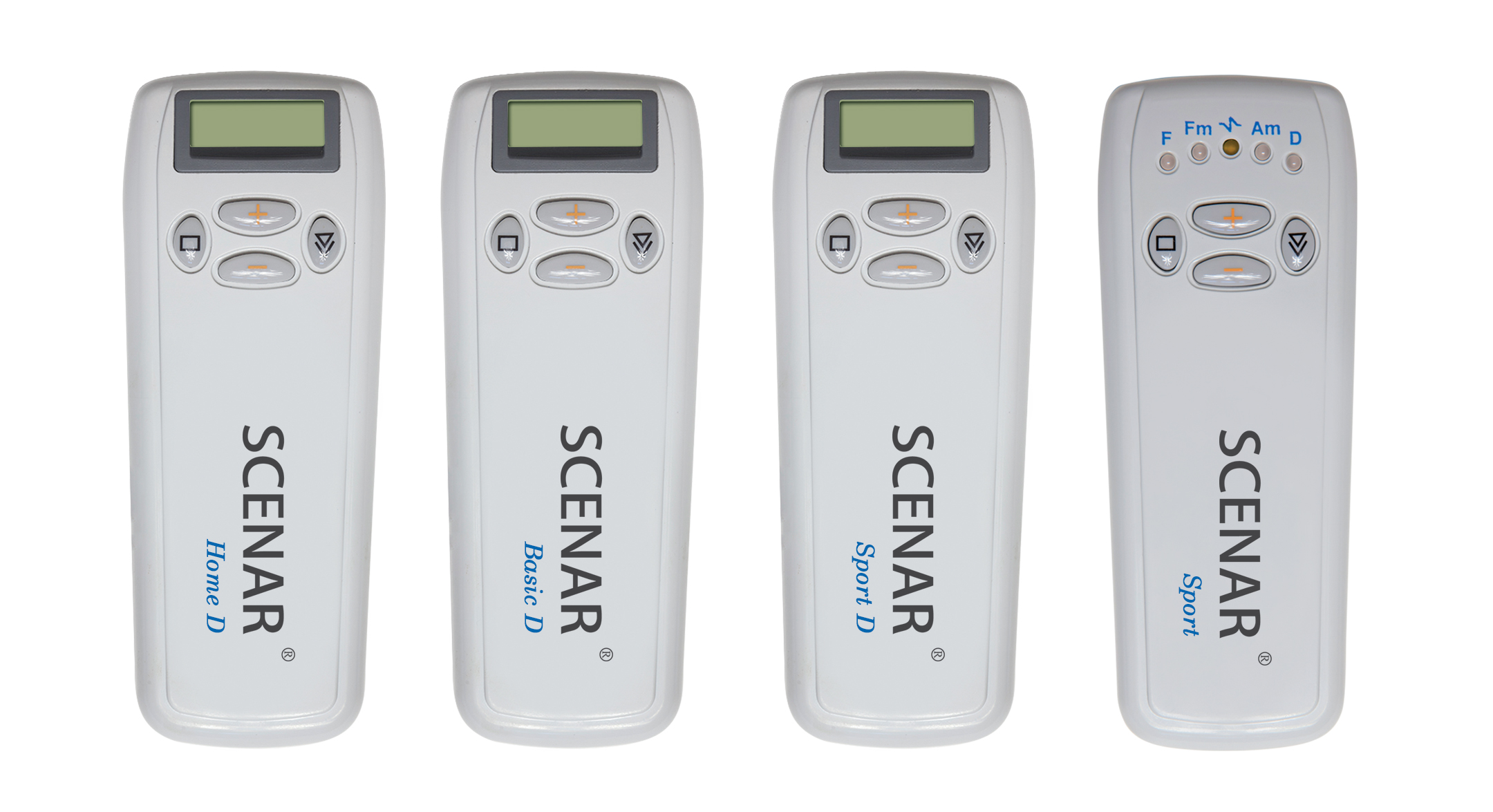


 SCENAR Sport D
  SCENAR Sport
  SCENAR Basic D
  SCENAR Номе D